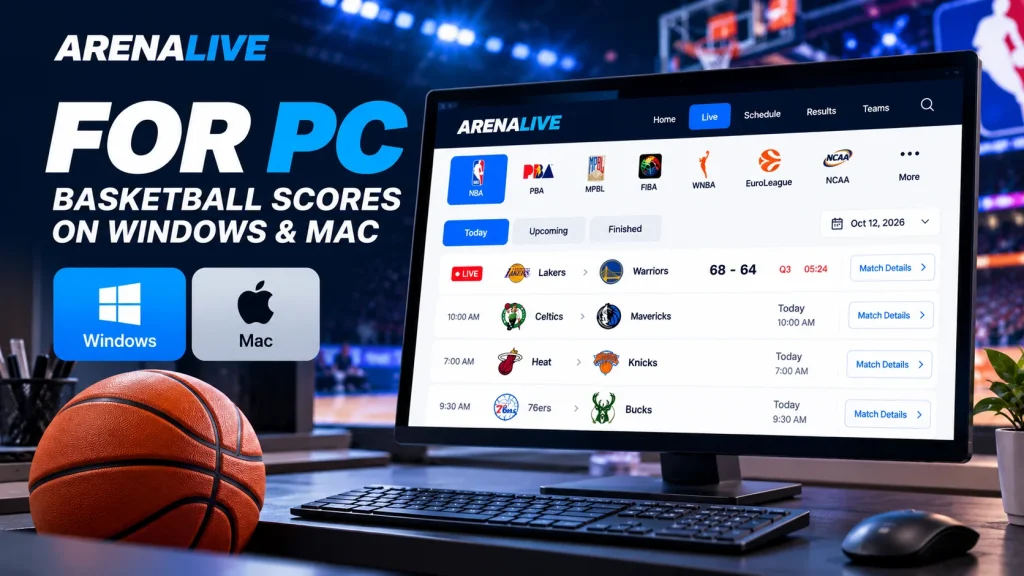
Looking for ArenaLive for PC? You can follow basketball games on a Windows laptop, desktop computer or Mac directly in your browser. There is no need to install an Android APK or use an emulator just to check scores, upcoming matchups and final results.
At ArenaLive, we organise available basketball information in Philippine Time (PHT, UTC+8), so you can check games from your desk without converting US time zones.
How to Open ArenaLive on Your PC
Getting started takes only a few steps:
- Open an up-to-date browser such as Chrome, Edge, Firefox or Safari.
- Visit the ArenaLive homepage.
- Choose Live to explore available basketball games.
- Select a league, then choose Today, Upcoming or Finished.
- Open Match Details for the teams, scheduled time, current status and any available score.
The website works as a regular browser page. You do not need to search for a separate desktop download just to use these public match listings.
Check NBA Games From a Windows or Mac Desktop
If you mainly follow the NBA, go to our NBA games and scores view. It filters the game listings so you can focus on the league instead of scanning every competition.
Use Today to find games on the Philippine calendar date, Upcoming for later fixtures and Finished for recently completed results.
A game played in the evening in the United States may appear the following morning in the Philippines, so always check the PHT time on the match card.
You can also switch to other supported basketball leagues from the filters on the Live page, including PBA, MPBL, FIBA and EuroLeague when match data is available.
Make ArenaLive Easier to Use on a Large Screen
A PC is useful when you want to compare multiple matchups without constantly switching screens.
Keep the main game listing open in one tab and a particular match’s details in another. That makes it easier to check which games are about to start while following an ongoing event.
If text or cards appear too small, use your browser’s zoom controls.
On Windows, Ctrl + 0 resets the browser zoom; on a Mac, use Command + 0.
You can bookmark the page or create a browser shortcut for quicker access next time.
Available scores and match statuses depend on our authorised sports data feeds.
A game can be marked LIVE before a complete score is available, and updates may not arrive at exactly the moment something happens on court.
Do You Need an ArenaLive PC App or Emulator?
No extra software is needed to browse ArenaLive in your PC browser.
Android APK files are designed for Android devices, not as standard Windows or macOS installers.
Avoid downloading an unfamiliar “ArenaLive for PC” EXE file from an unofficial download website.
If you want to use account features, open our ArenaLive sign-in page in the same desktop browser.
Public game schedules and available results can be browsed separately from account access.
Basketball scores are also separate from video viewing.
Where we have a verified TV or streaming provider for a match, the match page can show that information; the broadcaster determines whether access is free, restricted by region or requires a subscription.
If ArenaLive Does Not Load Properly on PC
First, reload the page and confirm that your internet connection is stable.
If a league filter seems stuck, check that the page has finished loading, then try opening the listing in a new tab.
You can also reset browser zoom or test a different up-to-date browser to rule out an extension or cached-page issue.
If an individual match does not show a score, it does not necessarily mean your PC is causing the problem.
Some fixtures have not started, and some data sources do not yet provide a validated total score.
Follow Basketball on ArenaLive From Your Desktop
Using ArenaLive for PC is straightforward: open the website, pick your league, check the Philippine tip-off time and follow the match information that is available.
Whether you use Windows or Mac, you can keep upcoming games and recent results within easy reach—without installing an unverified desktop program.